


Hearing aid not working?Try this first.
Most problems have a simple cause — a battery, a blocked wax guard, a little moisture. Work through the checks below. If it’s still not right, bring it in and we’ll take it from there.
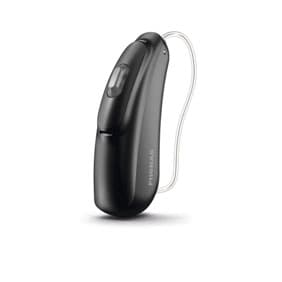
Quick checks
No sound at all
- Fit a fresh battery — peel the tab, wait a minute, then insert
- Check it is switched on and the volume is up
- Change the wax guard
- Look for a blocked or wet dome or tube
Whistling or feedback
- Re-seat the dome or earmould so it sits snugly
- Check the tube for cracks
- Ear wax can cause whistling — have your ears checked
Weak or distorted sound
- Change the wax filter
- Brush the microphone openings gently
- Dry the aid overnight in a drying kit
- Try a new battery
Cuts in and out
- Moisture is the usual cause — dry it overnight
- Clean the battery contacts with a dry cloth
- Charge rechargeable aids fully
Bluetooth won’t connect
- Restart the hearing aid and your phone
- Forget the device in Bluetooth settings, then pair again
- Update the manufacturer’s app
When it needs a repair
Bring it in
Or arrange a home visit. We check, clean and fix minor faults where we can.
We coordinate the repair
If it must go to the manufacturer, we handle it — you don’t deal with the company yourself.
Checked on return
The aid is tested and re-fitted to your settings before you take it home.
Book an appointment
Tell us whatyou’re noticing.
Choose the closest description. We’ll suggest the right first appointment and call you back.